It’s 4:17 on a Friday afternoon.
A member of your finance team receives an email that appears to be from the Executive Director:
“Can you send me the updated banking information before you leave?”
The name is right.
The tone sounds familiar.
And after a long week of programs, donor questions, grant deadlines, and board requests, the easiest thing to do is simply respond.
There’s only one problem.
The Executive Director never sent it.
This is why cybersecurity for nonprofits cannot be treated as only an IT responsibility.
Your technology provider can put strong protections in place. They can help protect devices, strengthen accounts, monitor systems, and block many threats before your team ever sees them.
But technology cannot make every decision for your people.
Some moments still come down to whether an employee, volunteer, manager, or leader knows what to do when something does not feel right.
For a nonprofit, that is not simply a technology issue.
It is a mission issue.
Why cybersecurity for nonprofits is more than an IT problem
It is easy to think cybersecurity happens somewhere behind the scenes.
Your computers have protection.
Someone handles updates.
Multi-factor authentication is turned on.
Backups exist.
A technology provider is available when something goes wrong.
So cybersecurity feels “handled.”
But technology is only part of the picture.
Your nonprofit’s protection is tested every day when someone decides whether to trust an email, approve a payment, share a document, give a volunteer access, click a link, use a new cloud application, or respond to an unusual request.
Those decisions happen across the organization.
That is why cybersecurity is part of responsible stewardship.
A single decision can affect donor information, employee records, finances, programs, operations, and the trust your organization has worked hard to earn.
It can also create cyber liability.
Cyber liability is more than cyber insurance. It is the business, legal, regulatory, operational, and reputational exposure an organization may carry when cybersecurity responsibilities are not clearly understood or properly managed.
The goal is not to turn every employee into a cybersecurity expert.
The goal is to give people enough clarity to recognize when something deserves a second look.
Can technology prevent every cyberattack?
No.
Good cybersecurity tools can stop a great deal before it reaches your staff, but no technology can eliminate every questionable request or make every judgment call for the person sitting at the keyboard.
Today’s phishing messages can look convincing.
A message may appear to come from:
- Your Executive Director
- A board member
- A donor
- A vendor
- Your bank
- A coworker
- A grant partner
- Your technology provider
The wording may sound natural.
The request may seem reasonable.
The timing may even make sense.
That means your team cannot rely only on bad spelling, strange wording, or an obviously suspicious email address.
Consider a few common situations.
A vendor sends new banking instructions in the middle of a project.
A board member asks for sensitive information from a different email address.
A staff member receives a document they were not expecting.
Someone who appears to be the Executive Director asks finance to move money quickly.
An employee receives a new login link.
None of those situations automatically means something is wrong.
But each one deserves a decision.
Is this expected?
Is this request normal?
Should I respond?
Should I click?
Should I verify first?
Technology can help reduce the risk.
Your people still need to know what to do next.
Why “be careful” is not a cybersecurity plan
Many organizations tell employees to “watch out for suspicious emails.”
That sounds reasonable.
But it leaves an important question unanswered:
What should someone actually do when something looks suspicious?
Every employee and volunteer should know:
- Who to contact
- How to verify an unusual request
- When not to click a link or open an attachment
- What to do if they already clicked
- How to report a possible security concern
- What happens after they report it
Telling people to simply “be careful” can place too much responsibility on the person making a split-second decision.
Clear steps work better.
Your team should know that stopping to verify something unusual is not wasting anyone’s time.
They should know that reporting a mistake quickly is better than hiding it.
They should know that asking, “Can someone check this before I continue?” is a responsible decision.
This matters because uncertainty can increase cyber liability.
An employee who is unsure whether a concern is important may stay quiet.
Someone who clicked a link and is afraid of being blamed may wait before reporting it.
A staff member who believes leadership is too busy to verify a request may decide to move forward anyway.
The delay can make a small problem harder to contain.
A better security culture gives people a simple path:
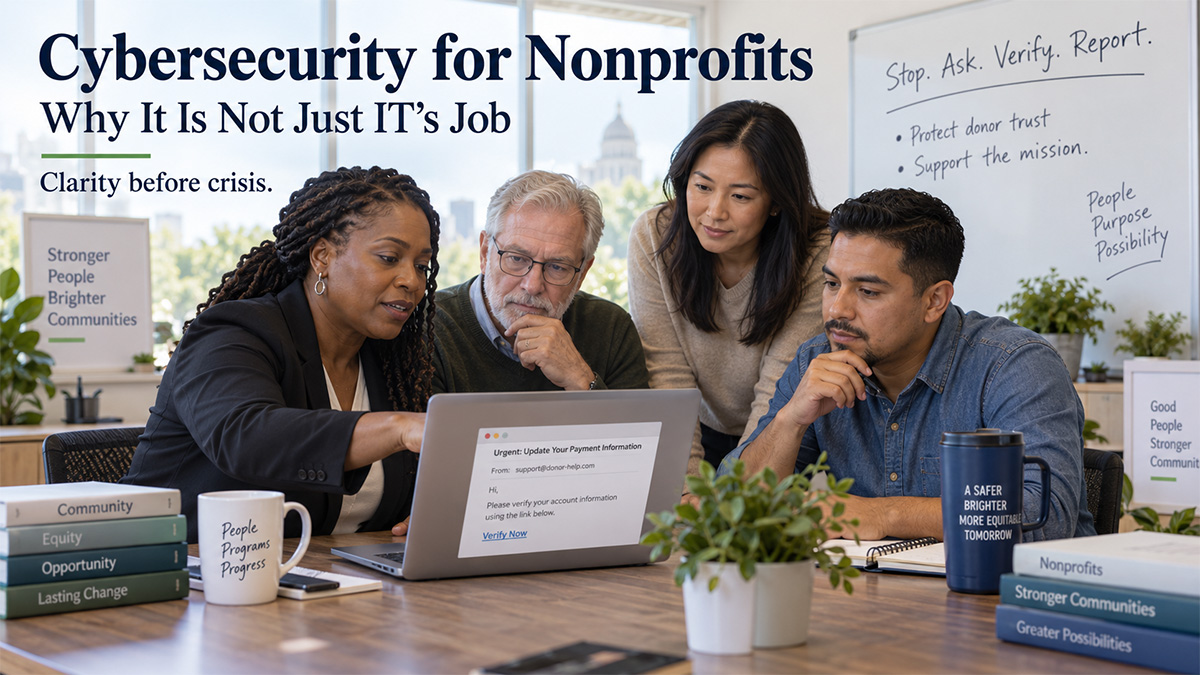
Stop. Ask. Verify. Report.
Those four steps can remove a great deal of confusion when the pressure is on.
How nonprofit leadership affects cybersecurity culture
Cybersecurity culture starts with leadership.
People watch what leaders do.
If leadership regularly skips verification because everyone is busy, staff members learn that speed matters more than process.
If managers make people feel foolish for asking a cybersecurity question, employees may stop asking.
If someone makes an honest mistake and is publicly embarrassed for it, others may learn to hide their own mistakes.
That creates more risk.
Fortunately, the opposite is also true.
When leaders verify unusual requests, staff members learn that verification is normal.
When someone says, “This email looks strange,” and leadership thanks them for checking, the team learns that speaking up is a good thing.
When an employee reports a mistake quickly and the first response is focused on what needs to happen next, people are more likely to speak up early the next time.
That matters because the first few minutes of a possible incident can be important.
Your leadership team does not need to know every technical answer.
But employees and volunteers should know:
- Security questions are welcome
- Verification is expected
- Reporting quickly matters
- Honest mistakes should be reported, not hidden
- Protecting the mission matters more than pretending everything is fine
That is what preparation looks like before a crisis.
Who is responsible for cybersecurity in a nonprofit?
Cybersecurity is a shared responsibility.
That does not mean everyone has the same job.
Leadership helps set expectations and priorities.
Technology providers help put safeguards in place and guide technical decisions.
Employees and volunteers help recognize unusual activity and follow secure processes.
Board members help provide oversight and ask informed questions about organizational risk.
Each role is different.
But each role matters.
Now go back to that employee at 4:17 on Friday afternoon.
The goal is not to make them suspicious of every email they receive.
It is not to make them afraid to click anything.
And it is not to turn them into a cybersecurity professional.
The goal is much simpler.
When something feels unusual, they should know what to do.
They should know who to ask.
They should know how to verify the request.
And speaking up should feel like the right decision.
Your employees and volunteers do not need to speak IT to help protect the organization.
They need clear expectations.
They need good habits.
They need practical education.
They need appropriate safeguards around them.
And they need confidence that leadership wants to know when something does not look right.
How can nonprofits build a stronger cybersecurity culture?
A stronger cybersecurity culture does not come from one annual training session.
It develops through repeated habits.
A nonprofit can strengthen its security culture by:
- Giving employees clear reporting instructions
- Teaching people how to verify unusual requests
- Encouraging staff to report mistakes quickly
- Making security questions safe to ask
- Reviewing incidents without unnecessary blame
- Reinforcing good habits throughout the year
- Giving leadership a clear view of organizational risk
- Reviewing cyber liability as technology and operations change
This is education before crisis.
It gives people a path before they need one.
And it helps reduce the chance that a small mistake becomes a larger operational, financial, legal, regulatory, or reputational problem.
What does cyber liability mean for a nonprofit?
Cyber liability is the broader exposure a nonprofit carries when cybersecurity responsibilities are not properly understood or managed.
That can include:
Business risk: Financial loss, interrupted fundraising, unexpected recovery expenses, or loss of productivity.
Legal risk: Responsibilities that may arise when sensitive or protected information is exposed.
Regulatory risk: Requirements connected to the information, transactions, services, or systems the organization manages.
Operational risk: The possibility that technology problems prevent staff from delivering programs or serving the community.
Reputational risk: Damage to the trust built with donors, funders, board members, employees, volunteers, partners, and the people the organization serves.
That is why cybersecurity is bigger than a list of technical tools.
It is about helping leaders understand the risk they are responsible for managing.
Cybersecurity works better when everyone knows their role
A strong cybersecurity program does not depend on one person catching everything.
It creates clear responsibilities across the organization.
People know what to watch for.
They know what to verify.
They know who to contact.
They know when to stop.
And leadership knows what risks deserve attention.
You do not need to become a cybersecurity expert to be a responsible steward of your organization.
You do need a clear picture of the risks you are carrying, the responsibilities attached to them, and the decisions available to you.
That is how an organization moves from uncertainty toward preparation.
Frequently Asked Questions About Nonprofit Cybersecurity
Is cybersecurity really everyone’s responsibility in a nonprofit?
Yes, but responsibilities are different by role. Leadership sets expectations, technology providers manage technical safeguards, employees and volunteers follow secure practices and report concerns, and boards provide oversight. Everyone contributes to protecting the mission.
Why are nonprofit employees important to cybersecurity?
Employees often make daily decisions involving email, files, payments, passwords, cloud applications, donor information, and system access. Clear training and reporting procedures help them recognize unusual activity and respond appropriately.
What is cyber liability for nonprofits?
Cyber liability is the business, legal, regulatory, operational, and reputational exposure a nonprofit may carry when cybersecurity responsibilities are not properly understood or managed. It is broader than cyber insurance.
How can a nonprofit improve cybersecurity awareness?
Start with simple, repeatable steps. Teach employees how to verify unusual requests, give them a clear way to report concerns, encourage quick reporting of mistakes, and reinforce good security habits throughout the year.
Does a nonprofit board need to understand cybersecurity?
Board members do not need to become technical experts, but they should understand the organization’s major risks, how leadership is managing them, and how cyber incidents could affect mission continuity, finances, data, and reputation.
Is annual cybersecurity training enough?
Annual training can help, but strong cybersecurity culture requires ongoing education, clear procedures, leadership reinforcement, and regular conversations as threats, people, vendors, and technology change.
Not sure whether your team knows what to do when something feels wrong?
Start with a conversation.
A Discovery Call with MTS Consulting Group is a chance to talk through the questions you are carrying, the areas where you may need greater clarity, and whether there is a useful next step for your organization.
No scare tactics.
No pressure.
Just a practical conversation designed to help you better understand the path in front of you.
Schedule Your Discovery Call With MTS
Because the best time to find the path is before the storm makes it harder to see.