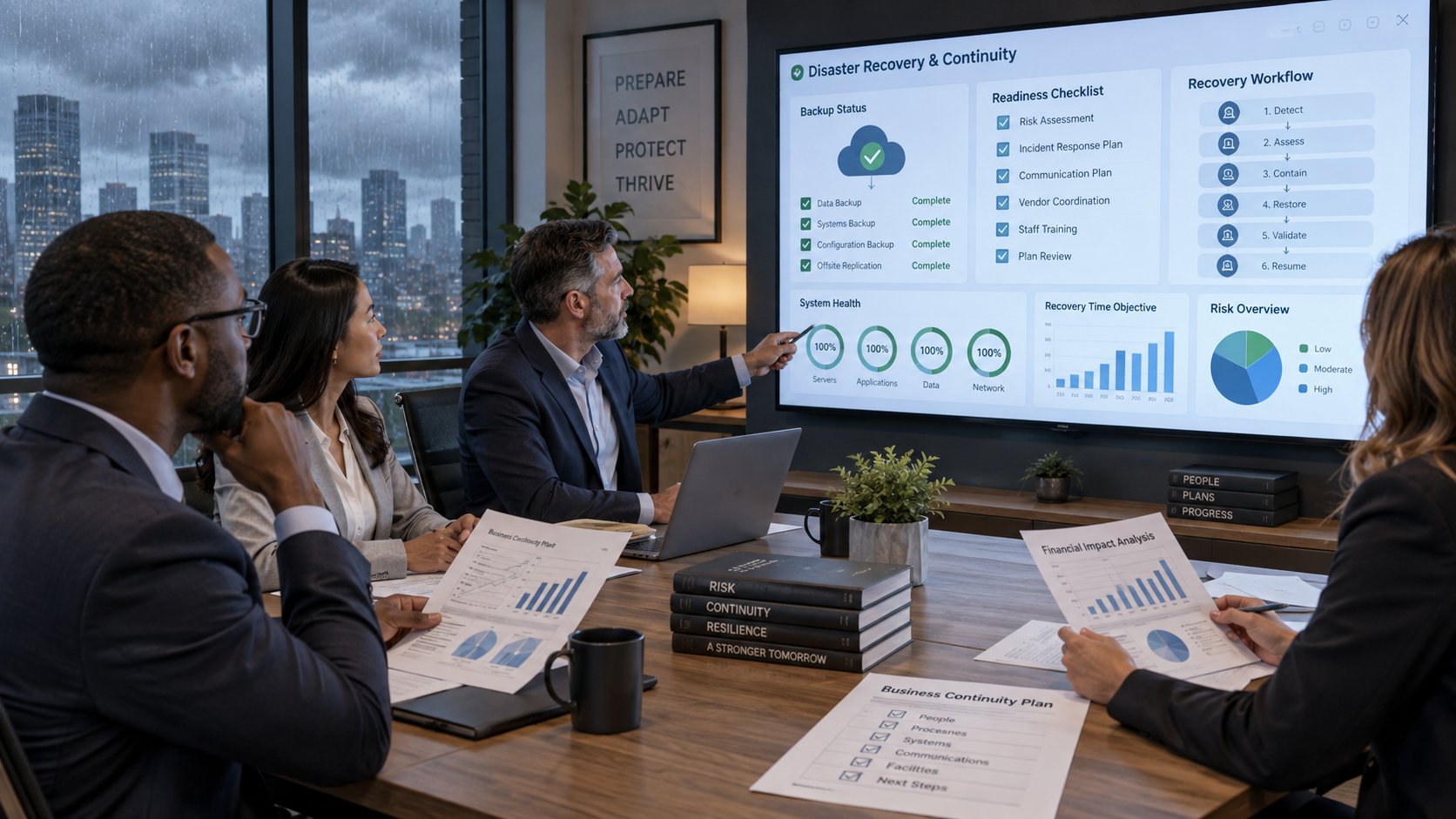
AI can help accounting and tax firms build better disaster recovery plans by organizing information, drafting procedures, creating checklists, and helping leadership ask better questions.
But there is an important difference between creating a plan and knowing the plan will work.
That is where good disaster preparedness begins.
Most accounting and tax firm leaders already know they should have a disaster recovery and business continuity plan.
The harder questions are:
Is it current?
Has it been tested?
Does your team know what to do?
Could you keep serving clients if an important system suddenly became unavailable?
Those questions matter because disaster preparedness is not simply an IT task.
It is part of your firm's cyber liability.
Cyber liability is the business, legal, regulatory, operational, and reputational responsibility your firm carries when cybersecurity risks are not properly understood, managed, or documented.
That does not mean every firm leader needs to become a cybersecurity expert.
It means leadership needs enough clarity to understand the risks, ask the right questions, and make informed decisions.
AI can help with that process.
Not by replacing your people.
Not by making decisions for you.
And not by telling you whether your firm is secure.
Instead, AI can be used as a tool to help you organize what you already know and identify areas that deserve a closer look.
Here are five ways to use it.
1. Use AI to Document Important Processes Faster
A surprising amount of business continuity knowledge lives inside people's heads.
That may work on a normal Tuesday.
It becomes a problem when the person with the answer is unavailable.
Think about your own firm.
Who knows what to do if your tax software stops working?
Who contacts your technology provider if the internet goes down?
Who knows how to regain access to an important system?
Who handles client communication during an extended outage?
What happens if the person who normally manages one of those tasks is out sick?
If the answer is, "Someone here knows," that is worth documenting.
How can AI help?
AI can help turn rough information into a first draft.
You might begin with approved, non-sensitive:
- Meeting notes
- Bullet points
- Process notes
- Training notes
- Voice transcripts
- Existing procedures
AI can help organize that material into a simple step-by-step document.
That first draft might include:
- Who owns the process
- What needs to happen first
- Who should be contacted
- What systems are involved
- When an issue should be escalated
- What the next person needs to know
That does not make the draft correct.
It makes the draft easier to review.
And that is useful.
Starting with something is often easier than starting with a blank page.
But the people who actually know the process must review it.
AI can organize the information. Your team has to verify the truth.
That is an important habit in disaster preparedness.
Do not assume.
Verify.
Also, be careful about the information you place into AI tools. Client tax data, passwords, account information, security configurations, and other sensitive information should not be entered into an AI system unless your firm has approved that system and understands how the information will be handled.
The goal is not to automate responsibility.
The goal is to make important knowledge easier to find before someone needs it under pressure.
2. Use AI to Create Clear Checklists and Response Playbooks
A disaster recovery plan is only helpful if people can follow it.
That means your plan should work when your team is busy, stressed, and trying to make decisions quickly.
A long policy document may explain what the firm intends to do.
A checklist tells people what to do next.
Both have value.
But during an outage, simple steps matter.
What kinds of playbooks should an accounting firm consider?
Every firm is different, but your planning conversations may include events such as:
- A ransomware attack
- A suspicious email account login
- An internet outage
- A Microsoft 365 outage
- A server outage
- Tax software becoming unavailable
- A stolen laptop
- A power failure
- An office closure
- A key employee becoming unavailable
- A vendor outage
- Loss of access to client documents
AI can help you turn an approved scenario into a first-draft checklist.
For example, you might ask it to organize your notes into:
First 15 minutes
What should happen immediately?
First hour
Who needs to be contacted?
Business response
What work can continue and what work cannot?
Communication
Who updates staff, clients, vendors, or leadership?
Recovery
What systems must be restored first?
That structure can help leadership think more clearly.
But AI cannot decide what your recovery priorities should be.
It does not automatically know which systems are essential to your firm.
It does not know which deadlines matter most during filing season.
It does not know what promises you have made to clients.
It does not know how long your firm can realistically operate without a particular system.
Those are business decisions.
Technology supports them.
Leadership owns them.
That is why a response playbook should never be accepted simply because it looks professional.
Ask whether it reflects how your firm actually works.
3. Use AI to Help Ask Better Disaster Recovery Questions
One of the most useful things AI can do is help you think through questions you may not have considered.
That can be especially valuable when leadership knows something needs attention but does not know where to begin.
For example, instead of asking:
"Is our disaster recovery plan good enough?"
Try asking questions that create a useful conversation.
You might ask:
"What should an accounting firm consider if internet access is unavailable for eight hours?"
"What business processes could stop if Microsoft 365 became unavailable?"
"What questions should leadership ask about backup recovery?"
"What should a tax firm consider if tax software is unavailable during filing season?"
"What dependencies are often missed in a small accounting firm's business continuity plan?"
Now you have a list to investigate.
That is much more useful than receiving a simple yes or no.
Can AI find weaknesses in your recovery plan?
AI can suggest areas to examine.
It cannot prove that a weakness exists.
That distinction matters.
An AI response might remind you to ask about backup testing.
That is helpful.
But the next question is not:
"Does AI think our backups are good?"
The better question is:
"When was the last successful restore test, and where is the evidence?"
That is a very different standard.
If someone says the backup works, ask how they know.
If someone says your data can be recovered, ask when it was tested.
If someone says a security control is protecting the firm, ask what shows that it is working.
This is how leaders move from assumptions to informed decisions.
Evidence before opinion.
Cyber liability is not about assuming the worst.
It is about understanding the responsibility you carry and knowing what evidence supports the decisions you make.
4. Use AI to Make Technical Information Easier to Understand
Many business leaders struggle with disaster recovery planning for a simple reason.
The information is often written for technical people.
Backup reports, security reports, vulnerability findings, insurance questionnaires, and system assessments may all contain useful information.
But if leadership cannot understand what that information means, it is difficult to make a good decision.
You should not need to become an engineer to protect your firm responsibly.
You do need enough clarity to understand:
- What the issue is
- Why it matters
- What part of the business could be affected
- What decision may be required
- What information still needs to be verified
How can AI help explain technical information?
An approved AI tool can sometimes help simplify technical language.
For example, you might ask it:
"Explain this term in plain English."
"What business questions should leadership ask about this finding?"
"What part of daily operations could this affect?"
"What should I ask my IT provider to verify?"
That can help you prepare for a better conversation.
And that is where AI can be valuable.
It can help you get comfortable enough with the language to ask informed questions.
But it still cannot verify your environment.
It cannot look at a technical report and independently prove that your firm is protected.
It cannot confirm a backup can be restored.
It cannot confirm every employee has the correct security controls.
It cannot tell you whether your recovery timeline is realistic.
That requires actual evidence from your systems and the people responsible for managing them.
You do not need to understand every technical detail.
You need to understand the decision.
That is the goal.
Clarity before action.
5. Use AI to Help Keep Disaster Recovery Documentation Current
A disaster recovery plan can become outdated faster than many firms realize.
Think about what changes during a normal year.
Employees change.
Seasonal staff arrive.
Vendors change.
Applications change.
Cloud systems change.
Office procedures change.
Remote work changes.
Client expectations change.
Insurance questions change.
Your recovery documentation should change with them.
How can AI help maintain the plan?
AI can help with some of the administrative work.
For example, it may help you:
- Compare an old procedure with new approved notes
- Identify sections that may need review
- Standardize the format across documents
- Create a summary of recent changes
- Clean up confusing language
- Convert long notes into a shorter checklist
That can make maintenance easier.
But there is a danger here.
A polished document can create false confidence.
Something can look complete and still be wrong.
So every update should come back to a few basic questions.
Is this still accurate?
Does this reflect how we operate today?
Does the person named in the plan know they are responsible?
Has the process been tested?
Could someone actually follow these instructions during an emergency?
Documentation is not proof by itself.
A written restore procedure does not prove restoration works.
A backup policy does not prove the backup is usable.
An incident response plan does not prove your team is ready to respond.
The plan becomes valuable when people understand it, test it, and improve it.
Where AI Stops
AI can be very useful during planning.
It can help organize.
It can help draft.
It can help summarize.
It can help you generate questions.
But there is a point where planning must become evidence.
What can't AI do for your disaster recovery plan?
AI cannot:
- Test your backups
- Prove that your data can be restored
- Confirm that recovery systems work under real conditions
- Determine whether your recovery time is realistic
- Understand every dependency inside your firm
- Confirm your security controls are operating correctly
- Coordinate your staff during a real outage
- Make leadership decisions for you
- Accept responsibility for your firm's cyber liability
- Replace experienced human judgment
That does not make AI less useful.
It helps define the right role for it.
Use AI where it helps you think.
Use evidence where you need to know.
That distinction can save a firm from a great deal of false confidence.
A disaster recovery plan should not simply tell you what you hope will happen.
It should help you understand what your firm is prepared to do.
What Does a Good Disaster Recovery Plan Actually Prove?
A good recovery plan should answer practical questions.
Not theoretical ones.
Can you restore the information your team needs?
How long would it take?
Who decides what gets restored first?
Who contacts the technology provider?
How does leadership communicate with employees?
What happens if the main office cannot be used?
Which vendors does the firm depend on?
What happens if one of those vendors is unavailable?
Does your staff know the plan?
Has any part of the plan actually been tested?
Those questions are where preparedness becomes real.
The objective is not perfection.
No organization can remove every risk.
The objective is to understand what you are responsible for, reduce the risks you can control, and make informed decisions about the risks that remain.
That is what turns disaster recovery from a technical document into a leadership tool.
Disaster Recovery Is About More Than Backups
Backups matter.
They are one part of preparedness.
But having a backup does not automatically mean the firm can recover.
You also need to think about:
- People
- Internet access
- Tax and accounting software
- Client documents
- Microsoft 365
- Vendors
- Communication
- Security controls
- Access permissions
- Recovery order
- Decision-making responsibility
That is what it means to see the whole risk.
A backup may protect data.
It does not automatically protect operations.
For example, your data could be recoverable while your team still cannot access the application needed to use it.
Your server could be restored while your internet remains unavailable.
Your systems could be technically operational while nobody knows who should notify clients.
That is why disaster preparedness needs both technical planning and business planning.
The two belong together.
Preparedness Should Create Confidence, Not Fear
Cybersecurity conversations often become overwhelming because they begin with everything that could go wrong.
That is not the most useful place to start.
Start with what you need to understand.
What systems matter most?
What happens if they stop working?
What protections are currently in place?
What has been tested?
What has not been tested?
What evidence do you have?
What decisions still need to be made?
Those questions turn a large, uncomfortable topic into a manageable process.
You do not have to solve everything at once.
First, understand where you stand.
Then build an informed plan.
Then continue reviewing the plan as the firm, technology, and risks change.
That is how preparedness becomes part of normal business leadership instead of something everyone avoids until a problem occurs.
The Next Step: Start With a Conversation
If you are not sure whether your accounting or tax firm's disaster recovery plan would hold up during a real outage, the first step does not need to be another tool.
Start by understanding what you have.
Look at the plan.
Look at the evidence.
Look at what has actually been tested.
Then identify the questions you cannot confidently answer.
That will tell you where the next conversation needs to begin.
If you would like help working through those questions, MTS Consulting Group can help you understand your current cyber liability, identify what deserves a closer look, and build a clearer path forward.
No scare tactics.
No technical lecture.
Just education, evidence, and a better understanding of the decisions in front of you.
Schedule a Discovery Call with MTS
Because the best time to understand the storm is before you are standing in the middle of it.