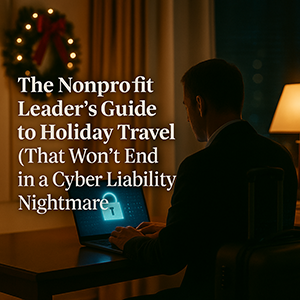
 How Detroit-area nonprofits can protect mission-critical data while traveling this holiday season.
Holiday travel brings joy, rest, and connection — but for many nonprofit leaders, it also brings hidden cyber liability risks. When you're pulled out of your routine, juggling family commitments, long drives, hotel check-ins, and the occasional “quick work task,” your organization becomes more vulnerable than you may realize.
And for nonprofits in Metro Detroit and across Southeast Michigan — where donor trust, operational continuity, and regulatory expectations run high — the stakes are even greater.
Here’s how to safeguard your mission’s most valuable data while you’re on the road.
Before You Leave: A 15-Minute Cyber Liability Prep Checklist
These quick actions dramatically reduce risk for nonprofit executives, staff, and teams working remotely during holiday travel.
🔹 Device Essentials
- Install all OS + security updates
- Back up essential files to secure cloud storage
- Enable automatic screen lock (2 minutes or less)
- Turn on Find My Device for all work devices
- Pack your own chargers + power bank
- Confirm that encryption is enabled
🔹 Family & Travel Expectations
Many nonprofits experience breaches not from hackers — but from unintentional family access.
Set these boundaries before hitting the road:
- Identify which devices kids can use
- Bring a dedicated travel tablet
- If sharing a laptop is unavoidable, create a restricted user account
Cyber liability reality:
A $150 tablet is cheaper than a donor data incident.
Hotel WiFi: One of the Biggest Holiday Risks for Nonprofits
Hotel WiFi is convenient — and dangerous.
With hundreds of guests sharing the network, it becomes a prime target for cybercriminals.
Real Detroit scenario:
A traveler connected to a spoofed hotel network created by a criminal in the parking lot. All activity — emails, login attempts, credit card entries — was captured.
How Detroit-area nonprofits can stay safe:
✔ Confirm the exact network name with the front desk
✔ Use a VPN for work-related access
✔ Use your hotspot for donor records, financial data, or sensitive email
✔ Let kids stream on hotel WiFi — but keep work off it entirely
“Can I Use Your Laptop?” — The Quiet Cyber Liability Trap
Kids don’t mean to create risk — but their behavior naturally does.
On a work device, these innocent actions can damage your mission:
- Downloading games
- Clicking pop-ups
- Saving passwords
- Giving friends access
The safest nonprofit practice:
✔ “This device is for work. Let’s use the other one.”
If you must share:
- Use a separate limited-permission account
- Supervise activity
- Clear browsing data immediately after
Hotel Smart TVs: A Hidden Access Point
Logging into Netflix seems harmless — until you forget to log out before checkout.
Another guest now has access to your account.
If you reuse passwords (many do), it becomes a wider liability.
Stay secure:
- Cast from your device instead of logging in
- Set a reminder to log out
- Avoid accessing anything with sensitive data on a hotel TV
This simple step protects your nonprofit from unnecessary exposure.
When a Device Goes Missing: Your First Hour Matters
Holiday travel causes thousands of lost devices — in airports, restaurants, lobbies, and cars.
If it happens:
- Immediately locate with Find My Device
- Remotely lock it
- Change critical passwords
- Notify your IT partner or MSP
- If sensitive data was stored locally, begin incident response steps
Before travel:
Device encryption, strong authentication, and remote wipe should already be in place — especially for nonprofits handling donor and financial information.
Rental Cars: The Overlooked Data Leak
Most rental cars store:
- Contacts
- Call history
- GPS destinations
- Text previews
And they often remain stored for the next driver.
Before returning your rental:
✔ Delete your device from Bluetooth
✔ Clear recent destinations
✔ Avoid syncing contacts entirely
Small habits prevent large exposures.
The “Working Vacation” Problem
Many nonprofit leaders never fully unplug — which increases cyber liability because:
- You’re distracted
- You’re rushed
- You’re multitasking
- You’re using unfamiliar networks
Set clear boundaries:
✔ Check work email twice per day
✔ Use your hotspot, not hotel WiFi
✔ Avoid working in public spaces
✔ Protect your screen from shoulder-surfing
The best security tool?
Rest.
Exhausted leaders make riskier choices.
The Holiday Travel Security Mindset (For Nonprofit Executives)
Perfection isn’t realistic.
Intentionality is.
Your goal: Reduce unnecessary cyber liability by making thoughtful choices.
✔ Prepare devices
✔ Separate work from family use
✔ Know which networks are safe
✔ Protect sensitive donor and financial data
✔ Have a plan if something goes wrong
Your mission — and your peace of mind — deserve that level of stewardship.
Make This Holiday Memorable for the Right Reasons
Your holiday should be about connection — not cyber cleanup.
A few simple steps can prevent the kind of breach that damages donor trust, disrupts operations, and increases regulatory exposure.
If you'd like clarity on travel-safe technology practices for your leadership team, we’re here to help.
Schedule a Discovery Call
A short, 10–15 minute conversation designed to give you clarity without complexity.
We’ll walk through:
- What cyber liability looks like during travel
- How to protect your devices and data
- What policies help nonprofits avoid seasonal risk
- How to strengthen your organization without adding overwhelm
👉 Book Your Discovery Call:
https://go.scheduleyou.in/zgvwV3dR?cid=is:~Contact.Id~
Because the story you tell in January shouldn’t be:
“Remember when our laptop got compromised over the holidays?”