 Holiday Travel Creates Hidden Cyber Risks — Here’s How to Stay Protected
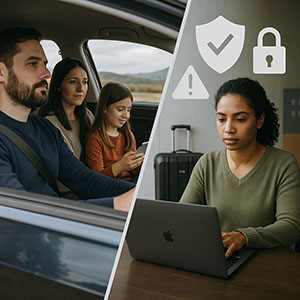
Holiday travel feels busy enough — long drives, packed schedules, tired kids, and a to-do list that somehow grows the moment you pull out of the driveway. And in those moments when everyone just needs a distraction, handing over your work laptop can feel harmless.
But here’s the truth many business owners and accounting firms overlook:
Holiday travel increases your cyber liability exposure in ways your normal routine doesn’t.
You’re connecting to unfamiliar networks, juggling work on the go, and blending personal and business devices.
A few calm, intentional steps can protect your business without ruining anyone’s holiday.
Before You Leave: The 15-Minute Cyber Safety Checklist
These quick actions dramatically reduce your cyber liability risk before you hit the road.
Device Protection Essentials
- Install all security updates
- Back up files to a secure cloud location
- Set auto-lock to a two-minute timeout
- Enable Find My Device
- Pack a power bank and your own charging cables
Set Clear Family Boundaries
- Let everyone know which devices are strictly for work
- Bring a secondary device for entertainment
- If needed, create a restricted user account on your laptop
A cheap tablet is far less expensive than managing a holiday travel cyber incident — or explaining preventable exposure to a cyber insurer.
Hotel WiFi: The #1 Holiday Travel Cyber Liability Risk
Hotel WiFi is convenient, but it’s also one of the easiest ways attackers capture sensitive information.
Common risk:
Connecting to a fake network that looks exactly like the hotel’s WiFi — a tactic attackers use frequently near airports and hotels.
How to Use Hotel WiFi Safely
- Always verify the official network name with the front desk
- Use a VPN for work email or client systems
- Use your phone’s hotspot for any sensitive data
- Keep family streaming on hotel WiFi — and your work data off it
This isn’t just “best practice.”
It’s how you prevent everyday actions from becoming cyber liability exposure, where attackers gain access to credentials or client information.
“Can I Use Your Laptop?” — The Family Question That Creates Real Business Risk
Kids click things. They explore. They download.
Nothing malicious — just normal behavior.
But on your work laptop, those clicks can lead to malware, credential theft, or unauthorized access to financial and client systems.
Safe Options
- Set a firm policy: Work laptop = off-limits
- If sharing is unavoidable:
- Use a restricted user account
- Supervise use
- Do not allow downloads
- Clear browsing history afterward
The safest solution?
Bring a device intended for family use only.
Smart TVs, Streaming, and the “Forgot to Log Out” Problem
Hotel smart TVs often save login information unless you remove it manually.
If you forget to sign out:
- The next guest may access your streaming account
- Attackers may try the same password on your email or banking accounts
The Safer Approach
- Cast from your own device
- Set a phone reminder to log out before checkout
- Download shows ahead of time so you don’t need to log in at all
What To Do If a Device Goes Missing While Traveling
Holiday travel increases the chance of phones or laptops being lost in restaurants, rental cars, or airport security lines.
In the First Hour
- Use Find My Device
- Lock the device remotely
- Change critical passwords
- Contact your MSP to revoke system access
- If client data may be exposed, begin notification steps
This is the moment cyber liability exposure becomes real — not because of compliance paperwork, but because safeguards weren’t met.
Before Traveling, Ensure Devices Have
- Remote tracking
- Strong password protection
- Disk encryption
- Remote wipe capability
The Rental Car Data Trap Most People Don’t Know About
Rental cars often store:
- Contacts
- Call logs
- Recent GPS destinations
- Text message previews
A 30-Second Fix
- Delete your phone from the car’s Bluetooth settings
- Clear navigation history
- Or avoid pairing altogether
The “Working Vacation” Boundary Problem
When you mix vacation and work:
- Your attention gets split
- You’re more likely to click on unsafe links
- You may default to insecure networks
- You become less aware of your surroundings
A Healthier, Safer Work Pattern
- Set two scheduled times to check email
- Use your hotspot for all work access
- Work in private spaces, not lobbies or dining areas
- When you’re with family, be fully present
A rested mind is one of the strongest cybersecurity tools you have.
A Holiday Travel Security Mindset That Reduces Cyber Liability
Perfect security isn’t the goal — intentional security is.
You can dramatically reduce holiday cyber risks by:
- Preparing devices before you leave
- Recognizing high-risk actions (like banking on hotel WiFi)
- Keeping work and family tech separate
- Having a plan for lost devices
- Saying “Not on this device” and sticking to it
Enjoy the Holidays — Without the Cyber Liability Stress
The holidays should bring rest, connection and joy — not emergency calls, compromised accounts, or frantic explanations to clients.
A few simple steps protect your family time and keep your business secure.
Want a Travel-Ready Cyber Liability Plan for Your Team?
We can help you build practical, easy-to-follow travel protocols mapped to what insurers, clients, and regulators expect — without slowing your team down.
👉 Schedule your free Cyber Liability Risk Assessment
We’ll help you identify where your exposure really is and show you how to reduce it with simple, usable safeguards that protect your business during travel and beyond.
Because your best holiday memory shouldn’t be:
“Remember when the laptop got hacked?”